Configure settings
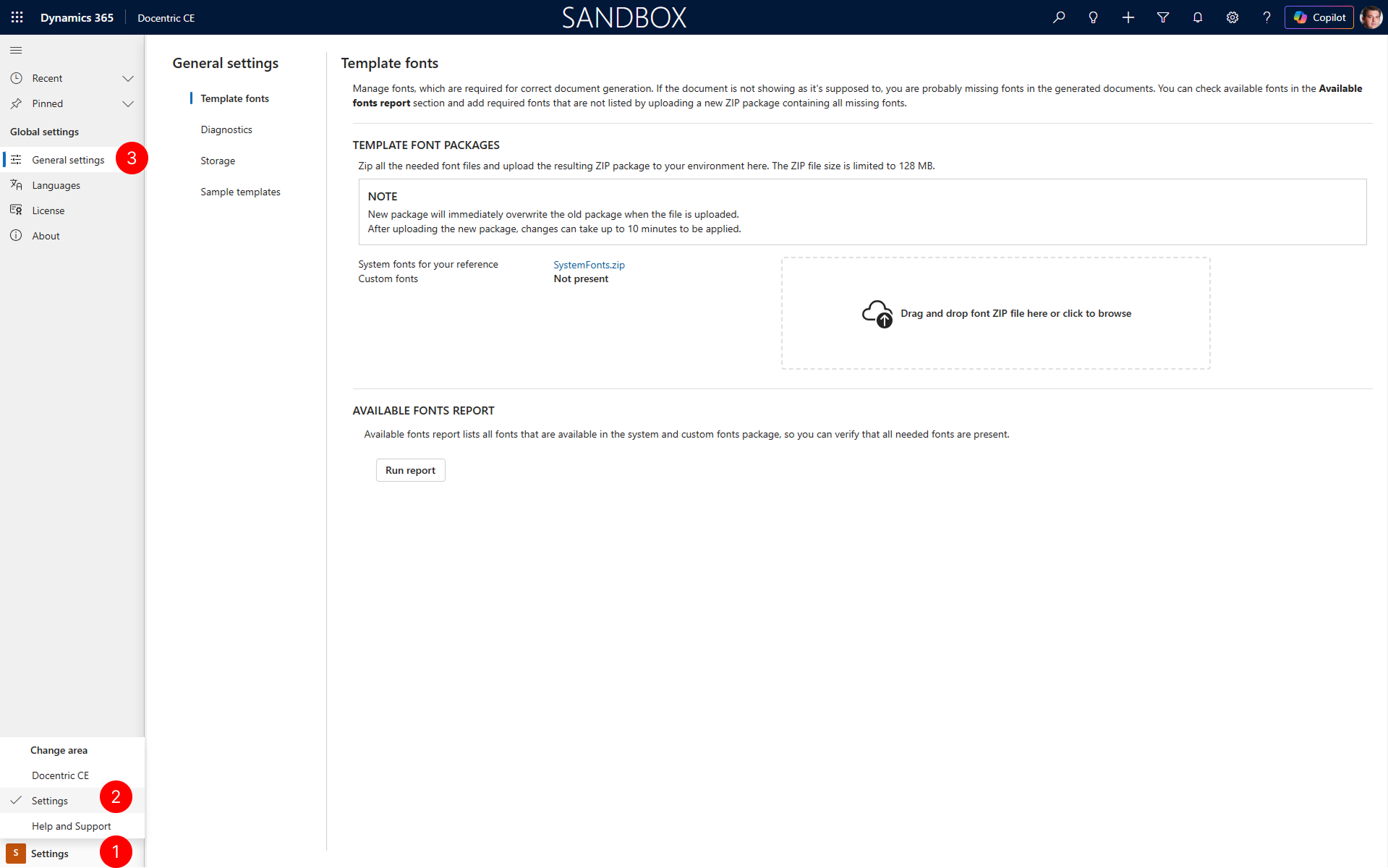
Docentric CE provides a centralized Settings area where you can configure options that impact the overall behavior of the application. These settings include:
- General settings: Configure template fonts for document generation, enable diagnostic data collection for troubleshooting and monitoring, manage storage retention for temporary files, and install sample templates to explore Docentric CE features.
- Languages: Control which languages are available for document and Docentric Data Source Package generation.
- License: Manage your Docentric CE license to activate the solution and enable features.
Prerequisites
- You have the Docentric CE Administrator security role assigned.
Access settings
- Open Docentric CE in your Dynamics 365 environment.
- In the navigation pane, select Settings area.
- General settings page opens.
Next Steps
Configure template fonts — Learn how to set up custom fonts for generated documents.