Configure license
Configure your Docentric CE license to activate the solution and enable its features. You can load a new license, request a license, remove an existing license, or export your current license information.
Prerequisites
- You have the Docentric CE Administrator security role assigned.
- You have opened Settings area of Docentric CE application.
Manage your license
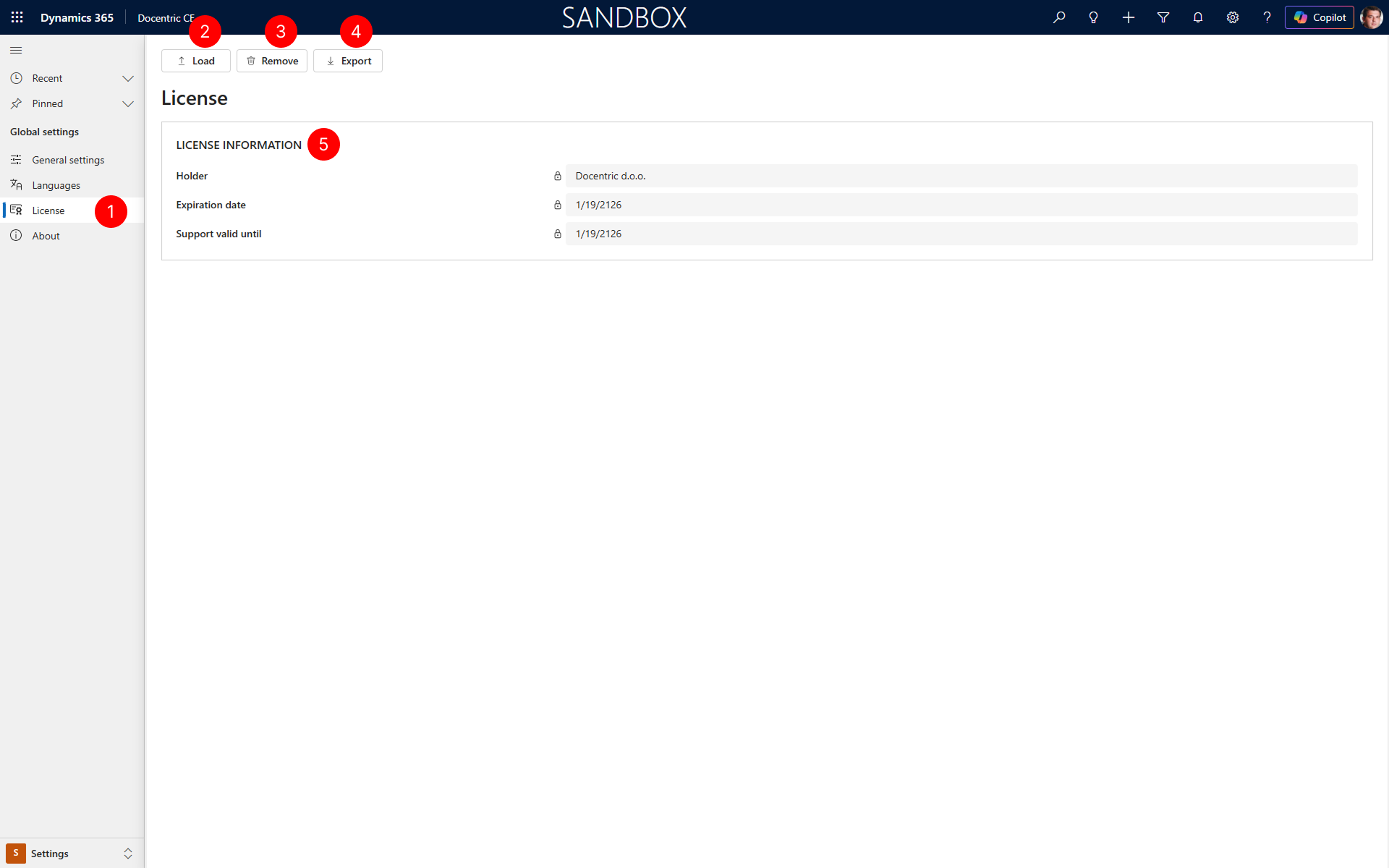
- In the site map of Settings area, select License.
- To load a new license file, select the Load button and browse to your license file.
- To remove the currently installed license, select the Remove button.
- To export your current license information to a file, select the Export button.
- Review the LICENSE INFORMATION section to see your serial number, license type, holder details, and expiration date.
NOTE
The License page displays all details about your current license.
Next Steps
Configure diagnostic settings — Learn how to enable diagnostic data collection.