View product information
The About page in Docentric CE provides a quick overview of your installation: the installed version, license details, environment identifiers, and links to key resources such as documentation and support.
Prerequisites
- You have the Docentric CE Administrator security role assigned.
- You have opened the Settings area of the Docentric CE application.
Review about page
In the site map of the Settings area, select About.
The About Docentric CE page opens.
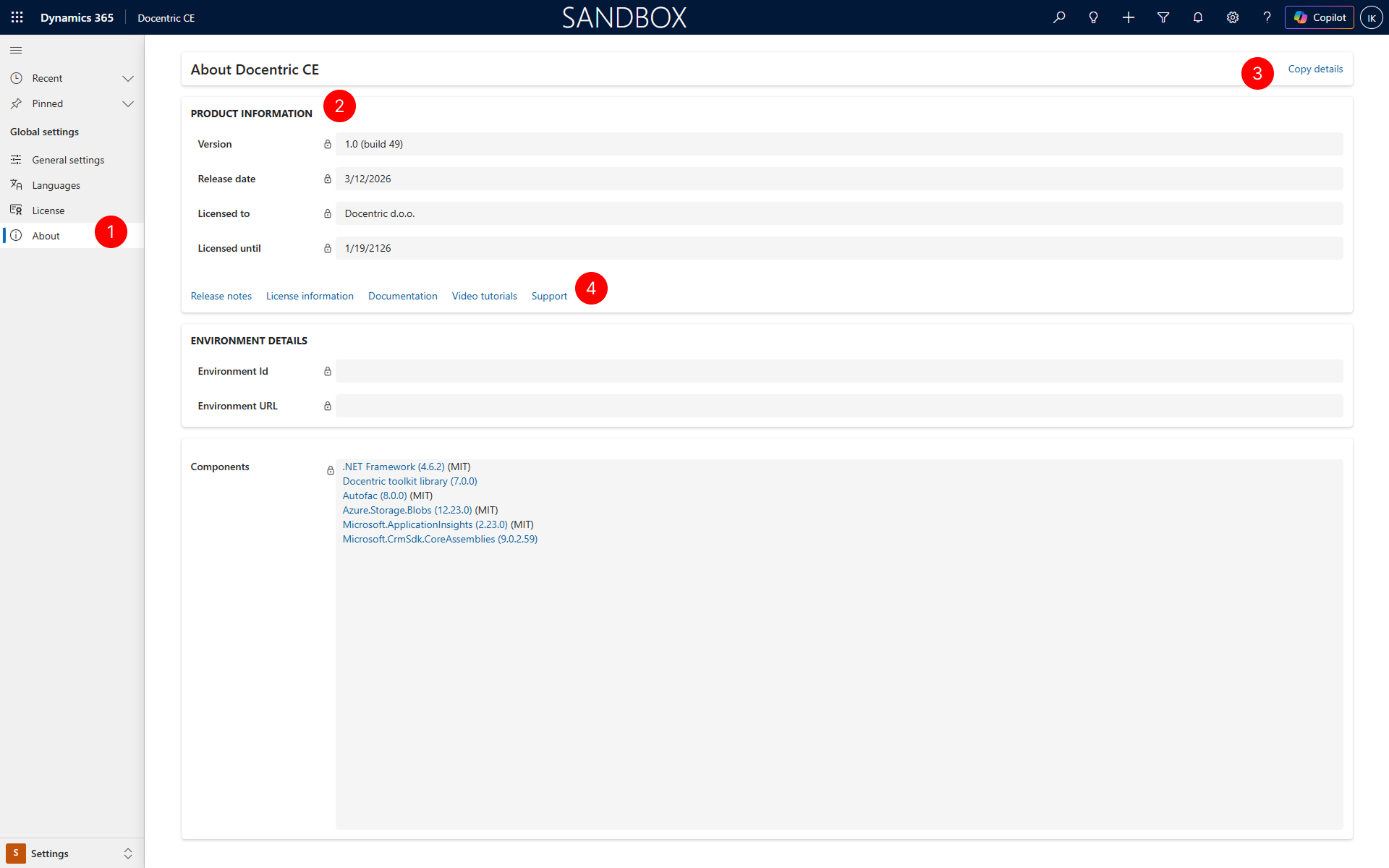
In the Product Information section, review the installed version and build number, the release date, and your license details — who it is licensed to and when it expires. To review full license details, go to the License page.
To copy all product and environment details to the clipboard, select Copy details in the upper-right corner. Use the copied text when reporting issues or contacting support.
Use the links below the Product Information section to access key resources:
Link Description Release notes Opens the release notes for the current and previous versions of Docentric CE. License information Opens the License page where you can manage your Docentric CE license. Documentation Opens the Docentric CE user documentation. Video tutorials Opens a collection of video tutorials demonstrating Docentric CE features. Support Opens the Docentric CE support page where you can submit requests or find help.
Next steps
Configure license — Manage your Docentric CE license.
